 Sage.is
There is a problem in our house, and it starts with a fourteen-year-old.
Malcolm draws. He codes. He studies. He builds elaborate things in Minecraft. When he is not doing any of that, he is outside, which is often. But when he is inside, he is on his laptop, and his laptop is dying.
Not in the dramatic, smoke-and-sparks sense. In the quiet, bureaucratic sense. Malcolm's daily machine is an Acer Chromebook R11, a small convertible with a touchscreen and a 360-degree hinge that Google officially stopped supporting in June 2021.[1][2] That was five years ago. The browser still opens. YouTube still plays. But the security patches stopped arriving a long time ago, the web apps have begun to creak, and the thing Malcolm most wants to do when he draws (use a stylus) requires borrowing an iPad Mini from the other side of the desk, because the R11 has no pen digitizer. He gives it back every time.
On the other side of that desk sits a MacBook Air M1, which belongs to his dad, Alexander. It cost $999 in 2020 and runs an eight-core Apple-designed chip that has never needed a fan.[3] On June 8, Craig Federighi walked onstage at WWDC and announced macOS 27 Golden Gate, confirming that every Apple-silicon Mac stays on the supported list.[4] The M1 included. That is six major operating systems for a five-year-old laptop. One machine in this household is being retired. The other just got younger.
Isabelle, who runs Sage.Education from her ipad, has been asking for a Linux laptop for weeks.
She may already own one. It just needs finding.
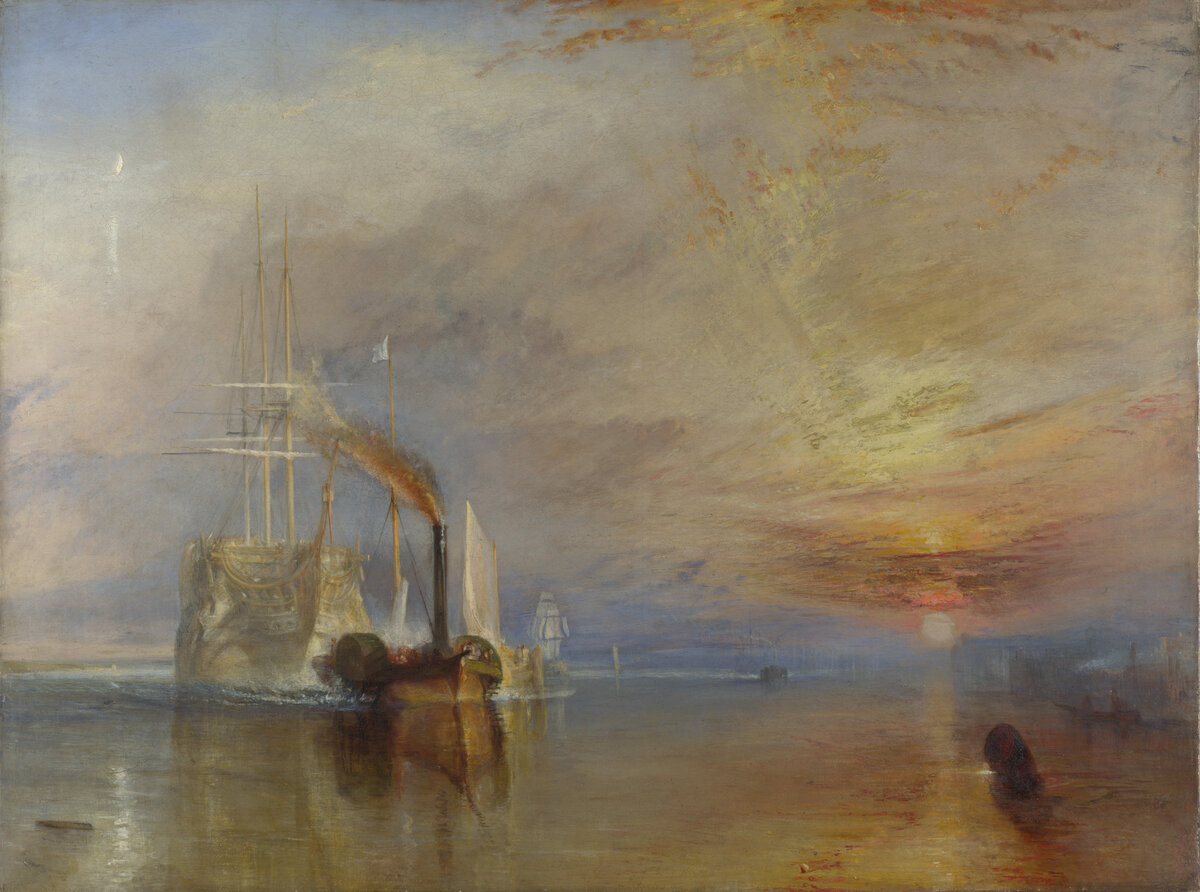
J.M.W. Turner, "The Fighting Temeraire" (1839). National Gallery, London. A warship that still glows, being towed to the breakers. Public domain.
The expiration economy
Here is something most people do not know when they buy a Chromebook: it comes with an expiration date.
Google calls it the Auto Update Expiration, or AUE. It is the day the security patches stop arriving.[5] After that, the hardware keeps running but the software fossilizes. The web moves on. The Chromebook does not. It is, to be clear, still functional. But functional and secure are different things, and the gap between them widens every month.
Google extended the timeline in September 2023, announcing that all Chromebooks from 2021 onward would receive a full ten years of updates and offering an opt-in extension for older devices.[6] Malcolm's R11, released in 2016, was already past saving. But the extension had an unintended side effect that caught our attention: it created a market.
When a Chromebook hits its expiration date, the resale value collapses. Chromebooks already depreciate fast (50 to 55 percent in the first year, 70 to 80 percent by year three, according to AboutChromebooks).[7] After expiration, the floor drops further. A machine that cost $500 new in 2018 now shows up on eBay for $50 to $80, often in excellent condition, abandoned by an owner who was told it was finished.
We started browsing.
The find
The Samsung Chromebook Plus v2 was the one that stopped us scrolling.[8]
It launched in June 2018 at $499: a 12.2-inch touchscreen at 1920 by 1200, a 360-degree hinge, and (this was the part that mattered) a built-in stylus with a Wacom digitizer tucked into the chassis. A proper pen, in a proper slot, on a screen that folds completely flat. Its AUE date is this month. June 2026. The extended window Google granted three years ago is closing right now.
There was one on eBay, in good condition, for $60! The listing mentioned the expiration as a disclaimer, the way a used-car ad might note a scratch on the bumper.
We read it as an invitation.
The specs, we should be honest, are modest. An Intel Celeron 3965Y, dual-core, 1.5 GHz, with Intel HD 615 graphics.[9] Four gigabytes of memory. Thirty-two or sixty-four gigabytes of eMMC storage. For raw horsepower, this machine is not in the same area code as the M1 Air. But raw horsepower is not what we are shopping for. We are shopping for a stylus, a touchscreen that folds flat, and the fact that a small, determined community of firmware developers has spent years building tools to give machines exactly like this one a second life.
What we already knew

Jean-Baptiste-Siméon Chardin, "The Draughtsman" (1737). Musee du Louvre, Paris. A boy bent over his work with total concentration. Public domain.
Living with Malcolm's expired Acer R11 for five years taught us something useful: expired Chromebooks do not actually die. The verified-boot protections keep working. The files stay put. What erodes, slowly, is the browser's compatibility with the modern web, and then, eventually, the comfort of knowing your machine is patched against whatever vulnerability was found last week.
The MacBook Air M1, meanwhile, sits on the other end of the spectrum entirely. It will receive macOS 27 Golden Gate this fall, its sixth major operating system and the first to drop every Intel Mac while keeping every Apple-silicon one.[10] A MacBook Air sheds about 36 percent of its value in three years.[11] Viewed over six years, the thousand-dollar laptop has been the thriftier purchase in our household.
It has also been more machine than the job demands.
Alexander has been carrying the Air to cafes and co-working spaces when a lighter, cheaper, more expendable machine would do just fine. Everything computationally demanding happens on the servers at home. The laptop's job, more and more, is to open a terminal and SSH into something more powerful. A $60 Linux convertible that can do that (and fold into a tablet on the plane) stops looking like a compromise pretty quickly. It starts looking like the right tool.
The community

Caspar David Friedrich, "The Sea of Ice" (1823-24). Hamburger Kunsthalle, Hamburg. The ice is not malicious. It simply does not care. Public domain.
MrChromebox was not a new discovery for us. When Malcolm's Acer R11 first hit its expiration date, we went down the rabbit hole and filed the knowledge away for later. The project, maintained by a developer known by the handle MrChromebox, provides custom coreboot-based firmware for ChromeOS devices: open, UEFI-compatible images that replace the stock firmware and let you install a full Linux distribution (or Windows, if that is your thing) in place of ChromeOS.[12]
The Samsung Chromebook Plus v2 is on the supported list. Its board name is Nautilus. The latest firmware release, MrChromebox-2603.2, shipped on May 17, 2026, built on coreboot 26.03.[13] This is not abandonware. It is not a weekend hobby. It is actively maintained infrastructure that turns expired hardware into general-purpose computers, and it is updated more frequently than some commercial products we pay for.
The companion chrultrabook project fills in the rest: installation guides, driver patches, and the post-install fixes that separate "boots Linux" from "actually works as a daily machine" (working audio, trackpad, suspend, function keys, all the small things that matter).[14]
The framing is important, though, because this is not a one-click affair. Flashing the firmware means opening the laptop to disable a hardware write-protection screw. It means accepting a small but real risk of bricking the device. It means wiping ChromeOS entirely (the project deliberately blocks reinstalling the old, now-insecure ChromeOS on expired hardware, which is actually the responsible choice).[15] It asks for a degree of comfort with Linux and screwdrivers that the average Chromebook buyer never signed up for.
Our household signed up.
The flash
This section is a placeholder. We are writing this before we have done it, because we want to document what actually happens, not what we think should happen. When the Samsung arrives, we will open it up, flash the firmware, install Linux, and come back to fill in this part. The good, the bad, and the screw that would not budge.
Three machines, three futures
One purchase, it turns out, solves three different problems.
For Malcolm, it is a drawing tablet he does not have to give back. The Samsung's Wacom digitizer and built-in stylus, running Krita or another Linux drawing application, would give him a dedicated creative machine that folds flat on the couch. His Acer R11 becomes a spare for schoolwork, or gets the same firmware treatment and joins the fleet.
For Isabelle, it is the Linux laptop she has been asking for. Sage runs on Linux. Her development environment runs on Linux. The terminal she opens every morning runs on Linux. A lightweight convertible that runs her actual stack, costs $60, and does not depend on any vendor's update schedule is not a downgrade. It is the machine that should have existed all along.
For Alexander, it is a travel machine that weighs nothing and assumes nothing. SSH into the homelab for real compute. Remote into the Raspberry Pi running Sage, Pi-hole, Syncthing, and Headscale.[16] Fold it into tablet mode on the plane. Leave the M1 Air on the desk where it can do the heavy lifting without leaving the house. A $60 laptop you toss in a bag without thinking about it is, for certain kinds of travel, worth more than a $999 laptop you carry in a padded sleeve with both hands.
The larger point

Vincent van Gogh, "The Raising of Lazarus (after Rembrandt)" (1890). Van Gogh Museum, Amsterdam. A figure rising from what was supposed to be death. Public domain.
We are a family of three in the Azores who happen to make software for a living, so we realize our comfort level with screwdrivers and terminal windows is not universal. But the broader point extends well beyond our desk.
A school district sitting on a closet of expired Chromebooks faces the same choice we did. A firmware flash and a Linux install turns those machines into a fleet capable of running a self-hosted AI workspace, a local development environment, or simply a browser that still receives security patches. The Sage platform was built for exactly this kind of deployment: open-source, self-hosted, FERPA-compliant, designed to run on the modest hardware that schools already own.[17]
The expired Chromebook is not e-waste. It is an opportunity the manufacturer never intended to create.
You are not just choosing specifications. You are choosing who controls the expiration date: the manufacturer, the vendor, or you.
The M1 Air is a magnificent computer. It will receive its sixth operating system this fall, delivered by the company that built it, without anyone picking up a screwdriver. That ease is real, and it is worth what Apple charges for it.
But the Samsung Chromebook Plus v2 cost us $60, folds into a tablet, came with a stylus, and (thanks to a community Google never asked for) will run a current, maintained operating system for as long as we choose to maintain it. The Air is the better computer. The Chromebook, resurrected, is the more interesting one. And it might just solve three problems in this household that the better computer could not.
The screwdriver is on the desk. Updates to follow.
Footnotes
Disclosure: Alexander Somma is CTO and Isabelle Plante is CEO of Sage.is platform. Malcolm is their son. The Chromebooks, the MacBook Air, and the screwdriver are theirs. This article will be updated with the results of the firmware flash when the Samsung arrives.
Acer, "Chromebook R 11 (CB5-132T)" specifications. Intel Celeron N3060 (or N3160 variant), 4 GB RAM, 11.6-inch HD touchscreen, 360-degree hinge, no stylus digitizer. Board name: Cyan. cros.tech ↩︎
Google, "Auto Update policy," Chrome Enterprise and Education Help. Acer Chromebook R11 (CB5-132T) AUE date: June 2021. support.google.com ↩︎
Apple, "MacBook Air (M1, 2020)," technical specifications. 8-core Apple M1, 8 GB unified memory (base), 13.3-inch Retina display, 2560x1600, fanless design, 2.8 pounds. Starting at $999. apple.com ↩︎
Apple, WWDC 2026 keynote, June 8, 2026. Craig Federighi, Apple's senior vice president of Software Engineering, announced macOS 27 Golden Gate. Compatible with all Apple-silicon Macs (M1 and later). First macOS release to drop Intel Mac support entirely. techradar.com ↩︎
Google, "Auto Update policy," Chrome Enterprise and Education Help. Defines Auto Update Expiration (AUE) as the date after which devices are no longer guaranteed to receive software updates. support.google.com ↩︎
Google, "Extending automatic updates for Chromebooks," Google Blog, September 14, 2023. All Chromebooks released from 2021 onward receive 10 years of automatic updates. Pre-2021 devices eligible for opt-in extension. blog.google ↩︎
AboutChromebooks, "Chromebook Resale Value Depreciation Statistics 2026." Chromebooks lose roughly 50-55% of purchase price in year one, 70-80% by year three. aboutchromebooks.com ↩︎
Samsung, "Chromebook Plus V2 (XE520QAB)," specifications page. Intel Celeron 3965Y, 4 GB LPDDR3, 12.2-inch FHD+ touchscreen, 1920x1200, built-in stylus with Wacom digitizer. Launched June 24, 2018 at $499 MSRP. samsung.com ↩︎
Intel, "Intel Celeron Processor 3965Y" specifications. 2 cores, 2 threads, 1.50 GHz base frequency, Intel HD Graphics 615, 6W TDP. ark.intel.com ↩︎
Apple, WWDC 2026 keynote, June 8, 2026. macOS 27 Golden Gate compatible with MacBook Air (M1, 2020 and later). macOS 26 Tahoe was the last version supporting Intel-based Macs. wi-fiplanet.com ↩︎
CellCashr, "MacBook Depreciation Guide: How Fast Apple Laptops Lose Value." MacBook Air retains approximately 64% of value after three years (36% depreciation). cellcashr.com ↩︎
MrChromebox.tech, custom coreboot firmware for ChromeOS devices. Provides UEFI Full ROM firmware enabling Linux and Windows installation on Chromebooks. Open-source, community-maintained. mrchromebox.tech ↩︎
MrChromebox.tech, "Latest Updates." MrChromebox-2603.2 released May 17, 2026, based on coreboot 26.03 (March 2026 tag). Includes UEFI Full ROM support for Samsung Chromebook Plus V2 (board name: Nautilus). docs.mrchromebox.tech ↩︎
Chrultrabook project, documentation and installation guides for running alternative operating systems on ChromeOS devices with MrChromebox firmware. chrultrabook.github.io ↩︎
MrChromebox.tech, "Frequently Asked Questions." The project blocks reinstallation of end-of-life ChromeOS builds on expired devices, directing users toward current, maintained Linux distributions instead. docs.mrchromebox.tech ↩︎
The homelab stack described in the companion guide, "Your Raspberry Pi Is a Data Center," running Pi-hole, Headscale, Syncthing, Uptime Kuma, Caddy, and Sage AI-UI on a single Raspberry Pi. sage.is ↩︎
Sage Education, open-source AI platform for educational institutions. Self-hosted or managed deployment, FERPA/COPPA/GDPR compliant, student data stored on institutional infrastructure. AGPL-3.0 license. sage.education ↩︎